Your phone is stealing your life. Now you can see it.
Your phone is designed to hook you. Awake helps you break the trance through visual reminders that pull you back. Feel fully alive with Awake.
How it works
You pick your life-stealing apps, how the reminder looks, and when it shows up. Then your phone does the reminding.
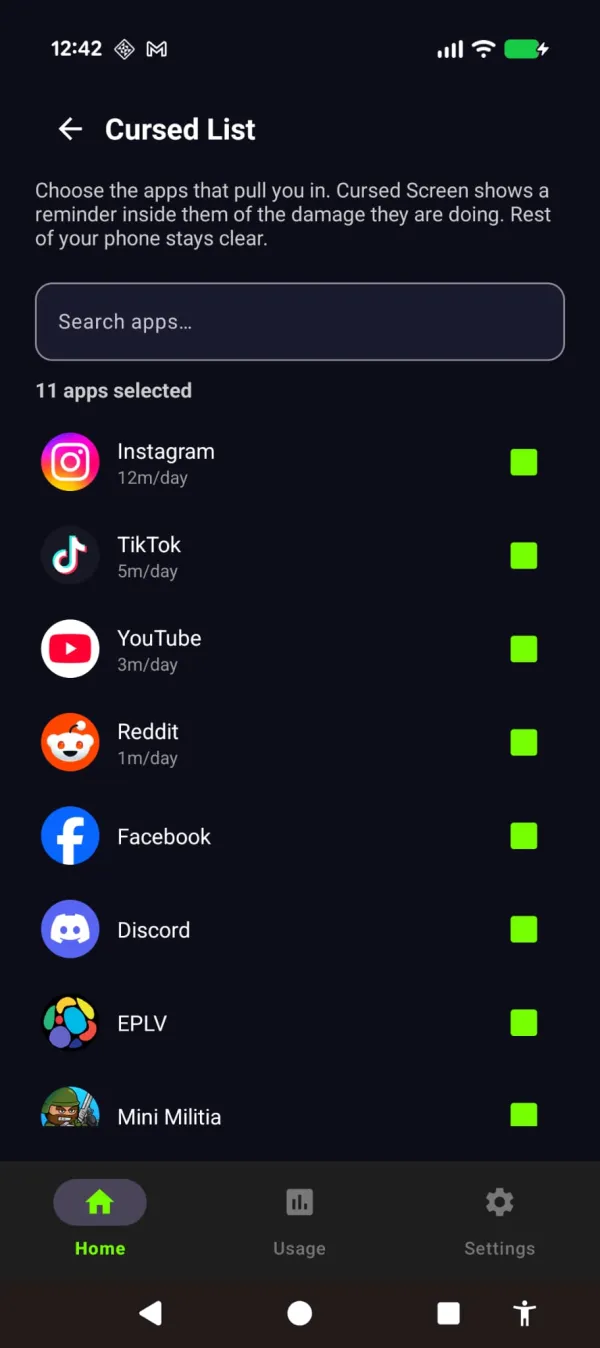
Pick the apps that pull you in
Choose your life-stealing apps and websites, the ones that eat your days.
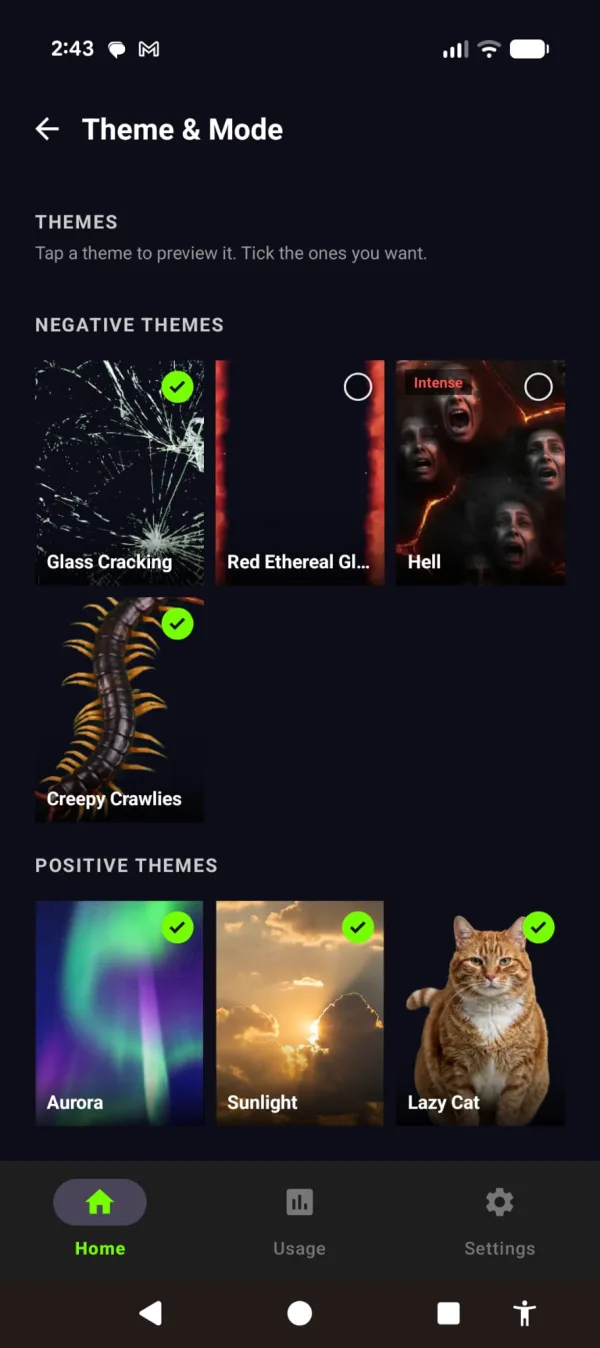
Pick a theme
Negative themes make the phone feel wrong: hellfire, cracking glass, crawling bugs. Positive ones like aurora and sunlight remind you of the life waiting off it.
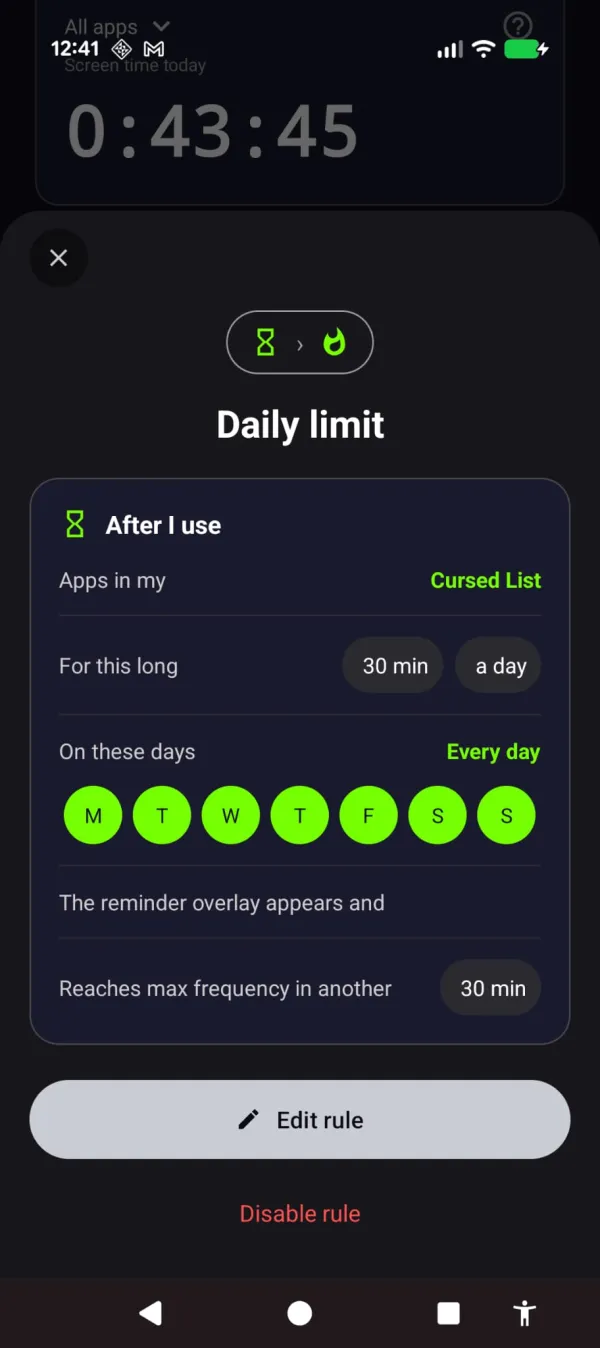
Set the rules
Choose how long you get and on which days. Past your limit, a rule shows the reminder, and it can lock the app too if you want a hard stop.
The reminder appears
Past your limit, the theme creeps in over your chosen apps. Every tap still works. The phone just starts to feel different, and the trance starts to break.
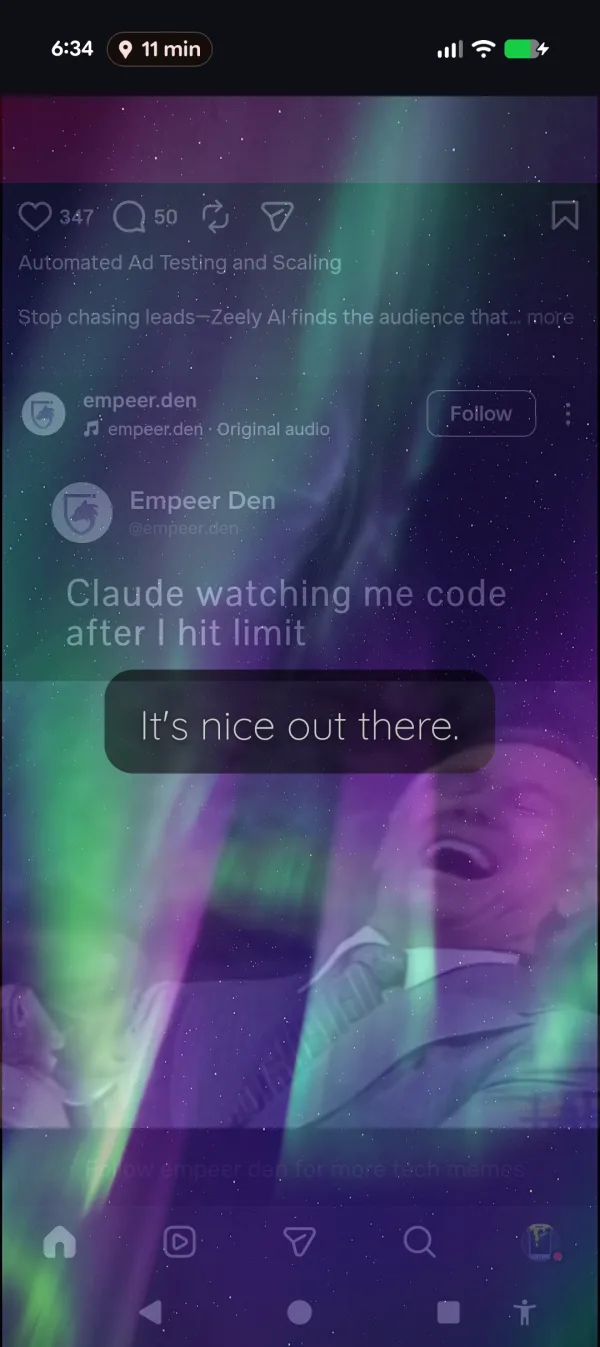
Watch your screen time drop
A streak rewards every day you stay under your limit, and the usage screen shows the hours coming back.
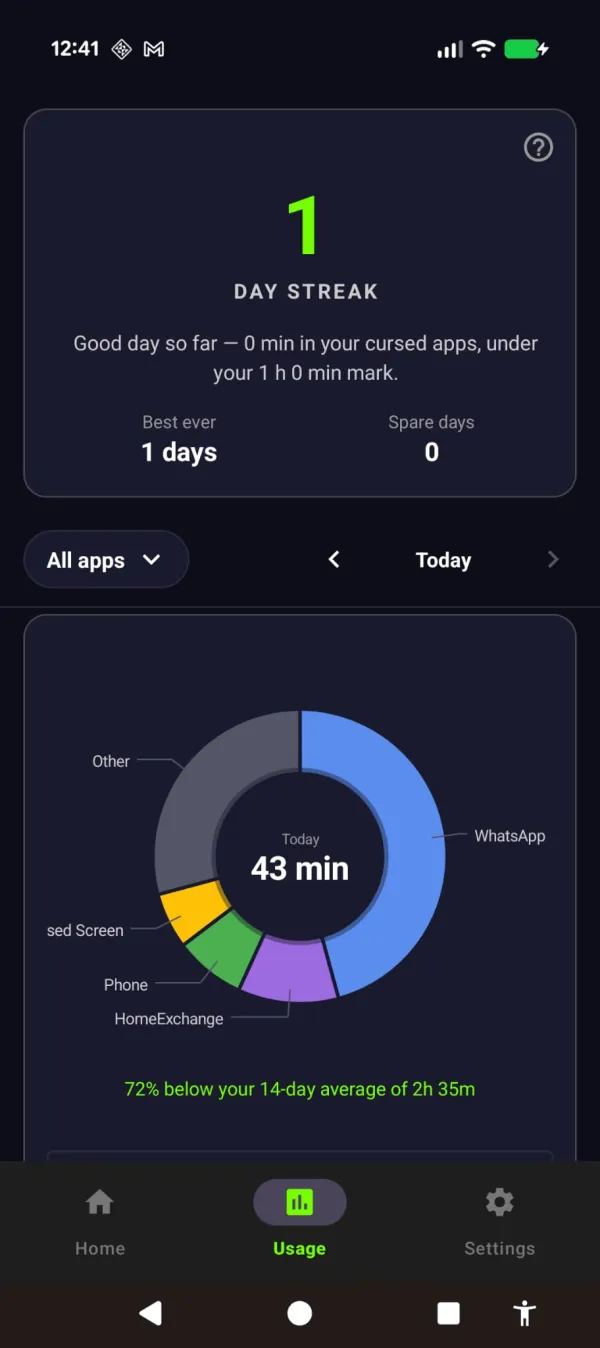
The result
See it
Some themes make your feed feel wrong. Some remind you what you’re missing.
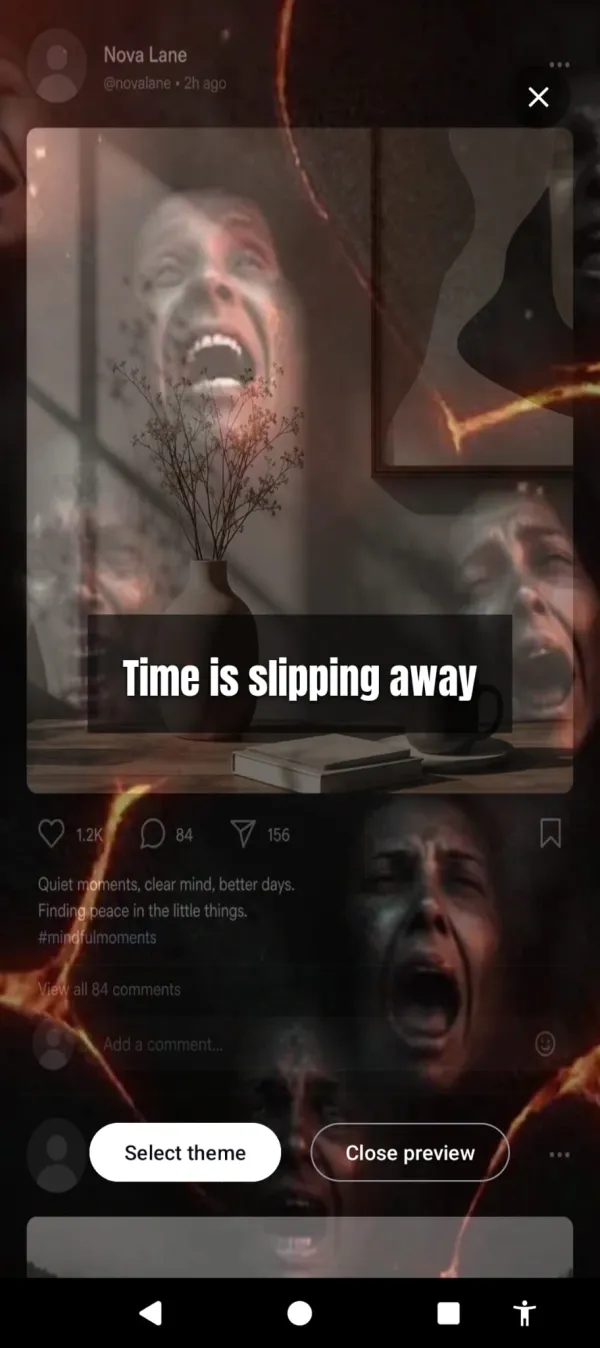
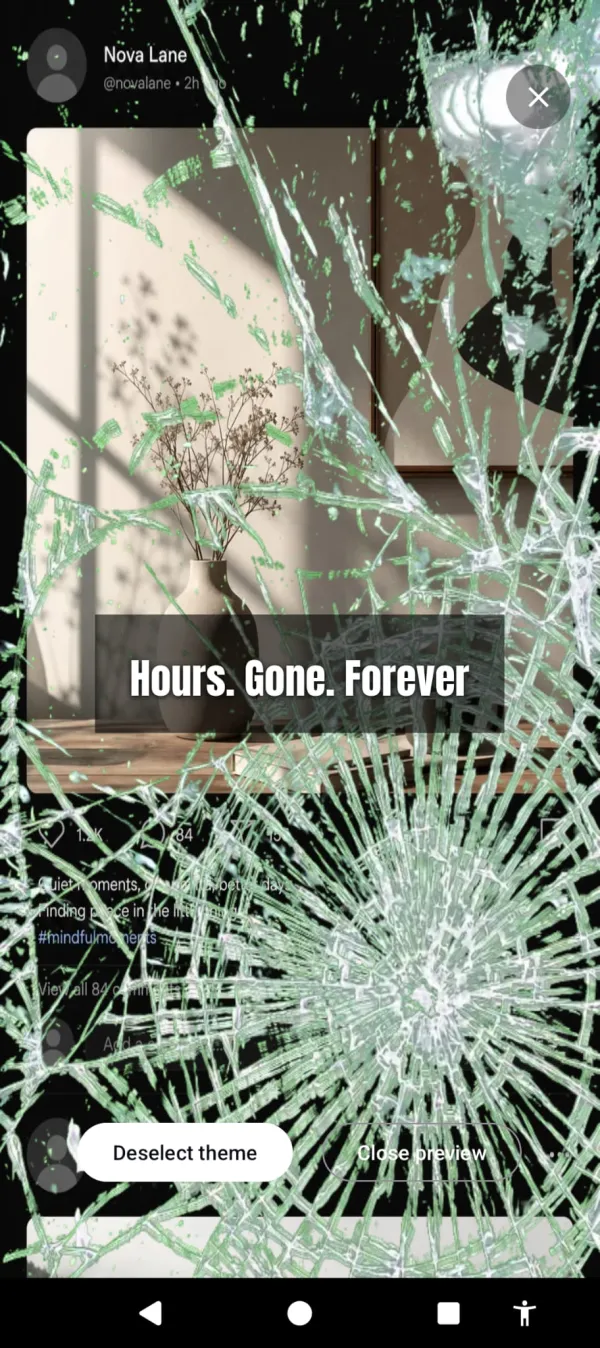



Blockers alone treat the symptom. Awake treats the cause.
You’ve done this before: install a blocker, disable it three days later, feel worse for it. It fails because breaking your own rule costs you nothing.
| App Blockers | Awake |
|---|---|
| Block apps, so you disable the blocker | Breaks the trance, so you see the truth |
| Hides the problem behind a wall | Makes the problem impossible to ignore |
| You fight the app | The app reveals what you’re fighting |
And when you do want a hard stop, Awake blocks too. Set a rule to lock an app once you hit your limit.
Child Lock
Handing your phone to a child? Set a timer and choose which apps they can open. Social apps stay off-limits, and when the time runs out, the phone locks. Nothing your child does is sent to us. Child Lock is a Premium feature.
Privacy First
- No account, and no access to your contacts, photos, camera, microphone or location
- Your list of apps and websites stays on your phone
- For websites on your list, Awake checks the address in your browser, on your phone. It’s never saved and never sent to us
- Anonymous analytics & crash reports (Firebase) to fix bugs, including daily screen-time totals, but never which apps or sites
- Child Lock’s recovery email is optional, used only for PIN reset codes and PIN-change alerts, and deleted within 24 hours
- No ads, and no data sold
From the blog
Research, guides, and honest app comparisons for using your phone less.
Ready to see what your phone is really doing?
Free trial, then a subscription. Or a one-time lifetime purchase if you’d rather not subscribe.